Pixabay
Royalty-free clips under the Pixabay Content License.
Source & usageThe next shot. The right soundtrack. Your favorite tracks.
Find what your edit needs in one app, and keep your focus.
Free tools · No SmoothyEdit account · No Studio credits
Mac 1.5.1 is available now. Windows remains on 1.5.0 while its update is being built.
You’re in the middle of a cut and need a little B-roll or a music bed. Smoothy brings those searches into the same app as your editing tools. Find it, try it, bring it into Premiere, and get back to the story.
Find royalty-free and public-domain footage across multiple sources. Use All sources for a wider search, or choose the library you want. Watch a preview inside Smoothy before saving the MP4.
Royalty-free clips under the Pixabay Content License.
Source & usageResults limited to explicitly marked CC0 or public-domain footage.
Source & usageStock and Prelinger footage declared CC0 or public domain by its publisher.
Source & usageEarth, space and science footage with NASA source-credit and media-use guidance.
Source & usageWatch a shot in the app and check its available quality. Filter by orientation and minimum quality where the source supplies dimensions.
Save a usable MP4 and import it into the Project panel from Smoothy. Place the clip on your sequence when you’re ready.
Source links and usage notes stay with your download. Check each clip’s terms; NASA footage includes source-credit guidance.
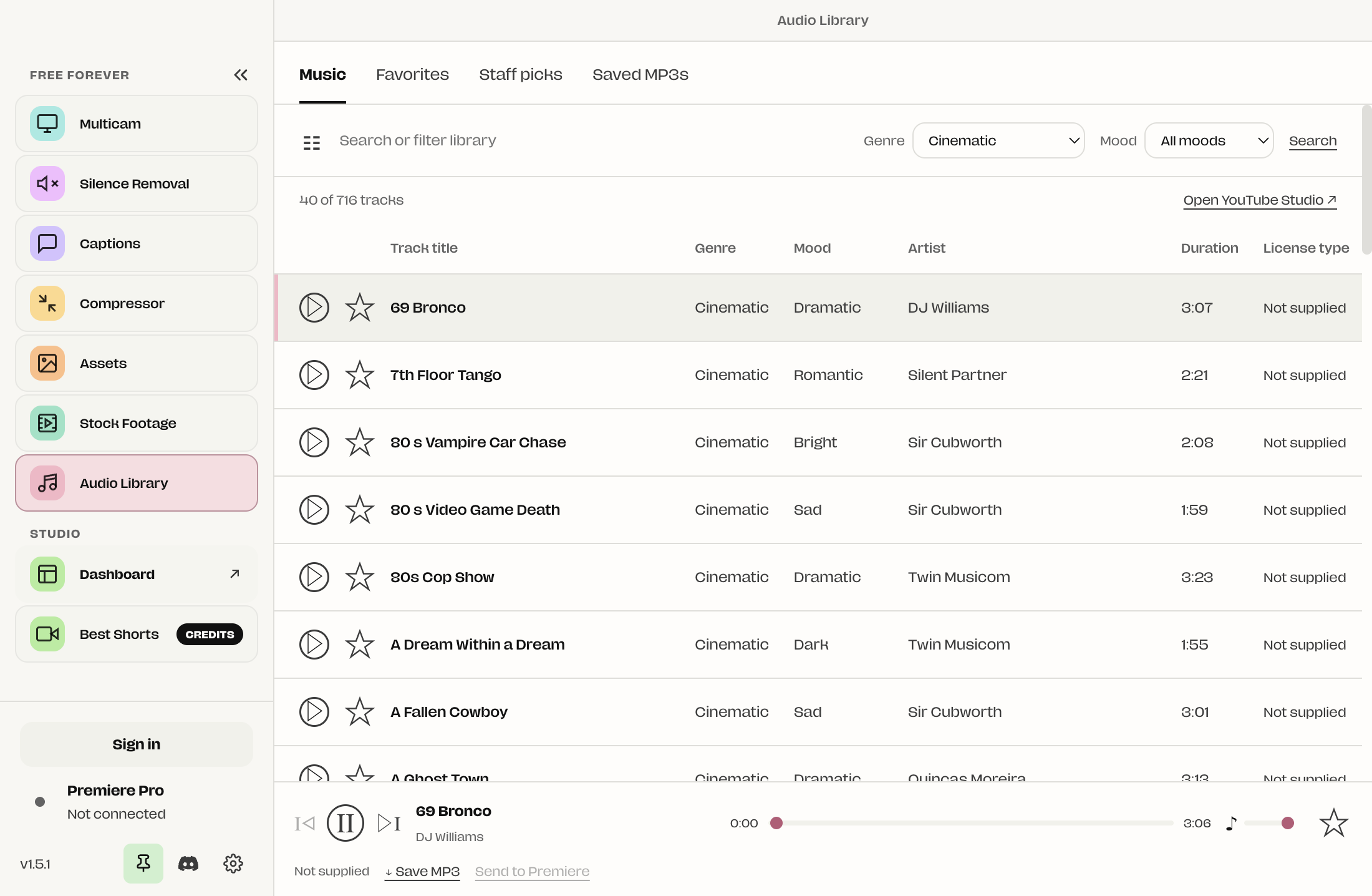
Music made by real artists, brought together through a YouTube Audio Library archive. Search by title or artist, narrow the mood and genre, and hear what fits your edit.
The current catalog is an unofficial 2020 archive. Track licenses are not supplied; check the track in YouTube Studio before publishing. About licenses & credits.
One player stays with you as you search and scroll. Preview, seek and adjust the volume before saving a track.
Star the tracks you love and return to Favorites on your next edit. Build your own shortlist over time.
Explore music selected by the SmoothyEdit team. A smaller starting point when you want a good track without listening to hundreds.
Save the MP3 for your project or send it to Premiere’s Project panel. Your saved music and credits stay available in Saved MP3s.
Search footage across sources, or choose music by title, artist, genre or mood. Favorites and Staff picks give you a head start.
Watch the shot or listen to the track before downloading. Open its source and license details to check that it fits your project.
Send the MP4 or MP3 to Premiere’s Project panel, then place it on your timeline. You can also save the file to use in another editor.
These features are available in SmoothyApp 1.5.1 for Mac. Windows remains on 1.5.0 while its update is being built.
No SmoothyEdit account or Studio subscription is needed for these libraries in the official 1.5.1 build. Online search, previews and downloads need an internet connection. Sending files to Premiere requires the bundled SmoothyEdit panel and an open Premiere project.
Stock Footage and Audio Library import the saved file into Premiere’s Project panel. From there, drag it onto your sequence wherever you want it. An active sequence is not required for the import.
Pixabay allows use without attribution under its Content License. Commons results are filtered to CC0 or public-domain metadata without an attribution requirement; Archive results use the publisher’s CC0 or public-domain declaration. NASA asks you to acknowledge it as the source and follow its media guidelines. Each source has its own terms, and other rights can apply.
YouTube’s official Audio Library offers royalty-free music, including standard-license tracks that do not require attribution and Creative Commons tracks that do. SmoothyApp currently browses an unofficial 2020 archive that does not supply verified track licenses. Check the specific track in YouTube Studio before publishing; the archive alone cannot establish copyright safety or an attribution exemption.
No. SmoothyEdit is independent of YouTube and Google. Its archived catalog is not a live connection to the official YouTube Audio Library. Open YouTube Studio from the app to check current availability and license information.
Staff picks are chosen separately by the SmoothyEdit team. Stars save your favorites on your device; optional anonymous favorite sharing helps inform curation. You can turn sharing off in the app and continue keeping local favorites.
For music terms and the “Attribution not required” filter, see YouTube’s Audio Library guidance. SmoothyEdit is independent of YouTube and Google.
Stock Footage and Audio Library join SmoothyApp’s captions, multicam, silence removal, compressor and image tools.
Mac 1.5.1 includes both libraries. Windows remains on 1.5.0 while its update is being built.