

Your effects.
One key away.
Put any Premiere effect, transition or preset on a key. Or turn your phone into the deck.
6 keys free · Unlimited with Pro · Mac and Windows
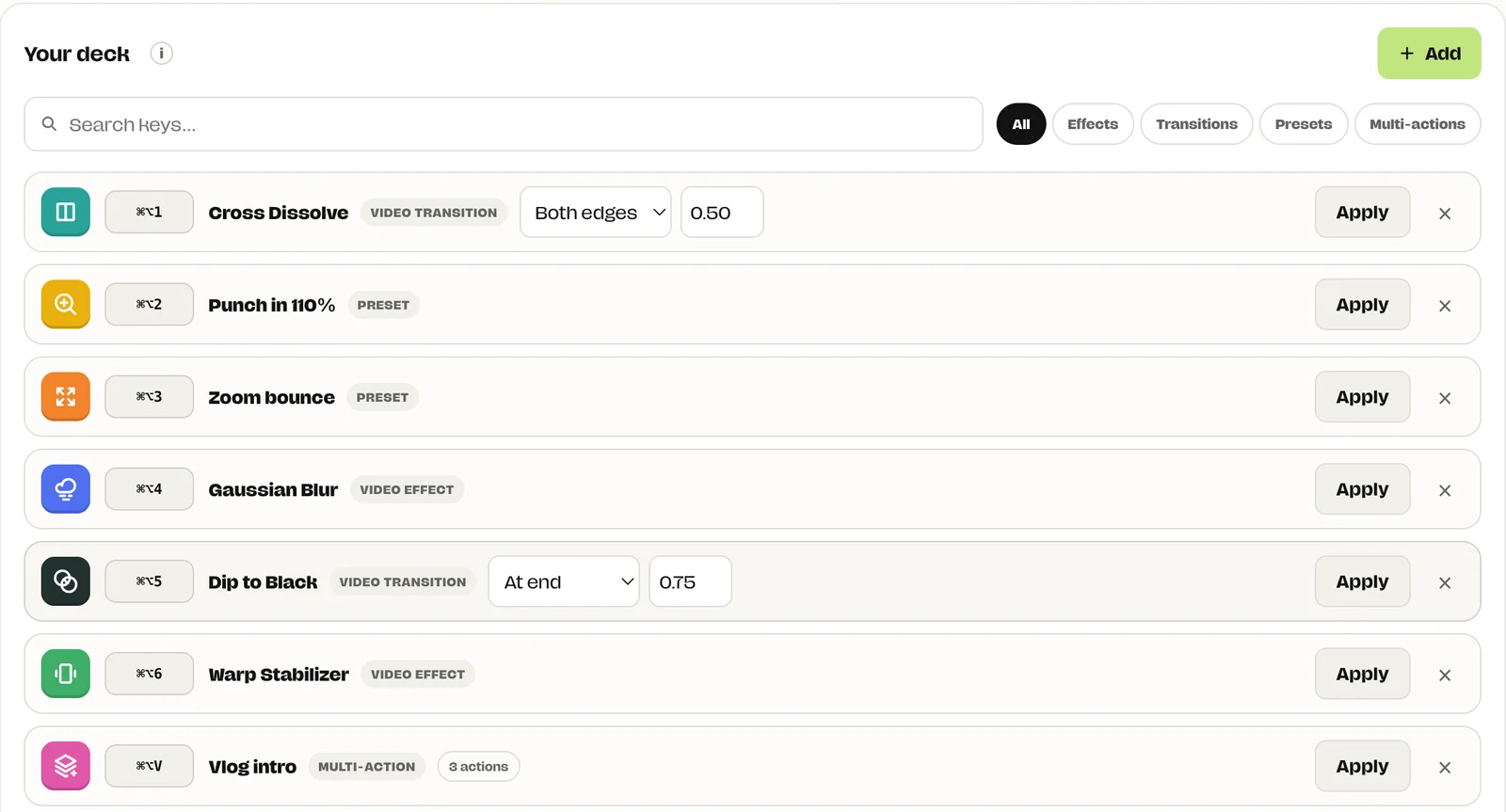
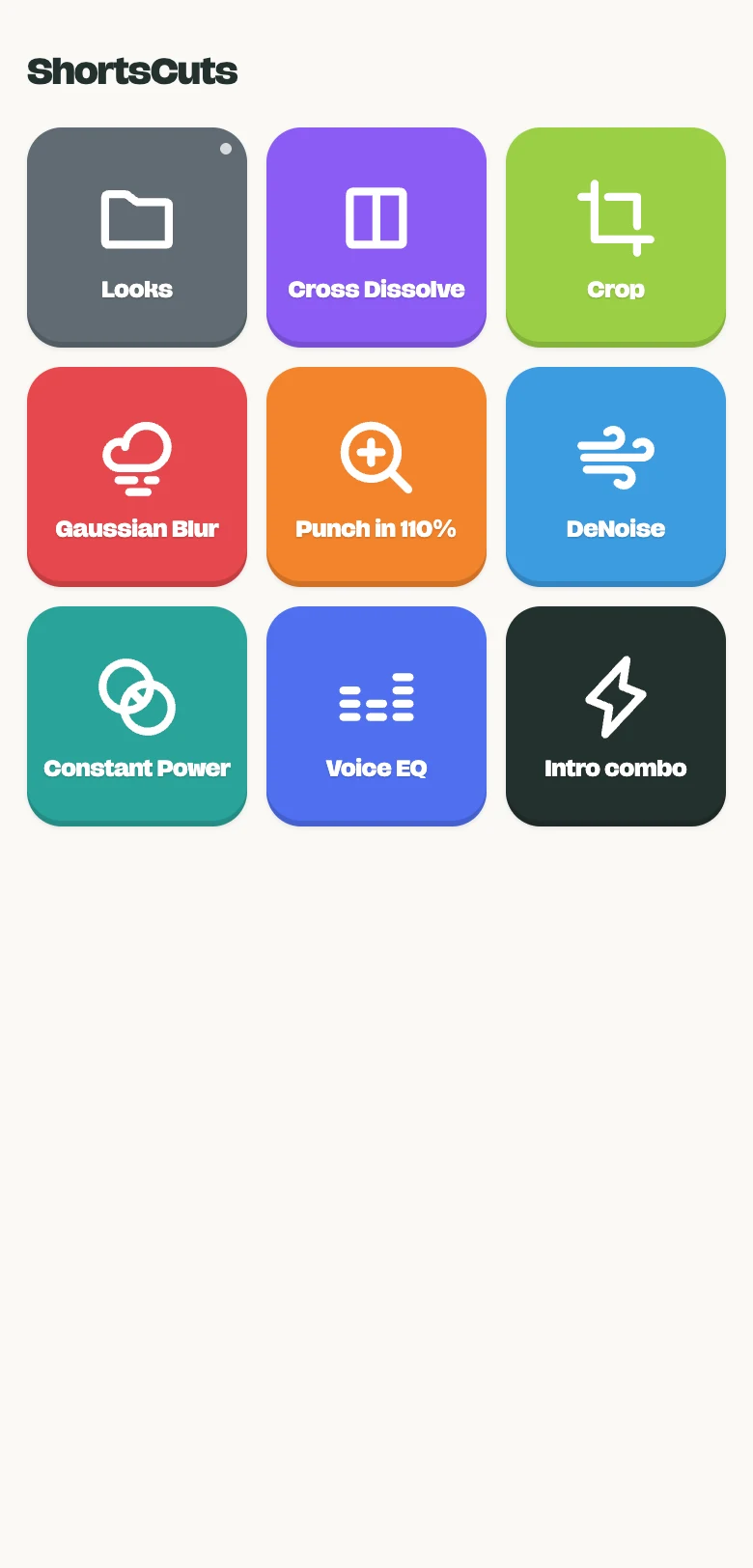
I kept typing the same five effect names into Premiere’s search box, then dragging them onto clip after clip. Every edit.
Stream Deck setups cost money and still need plugins. So I built the deck I wanted right into Smoothy: any effect on a key, and my phone as the controller.
Every effect.
Every transition.
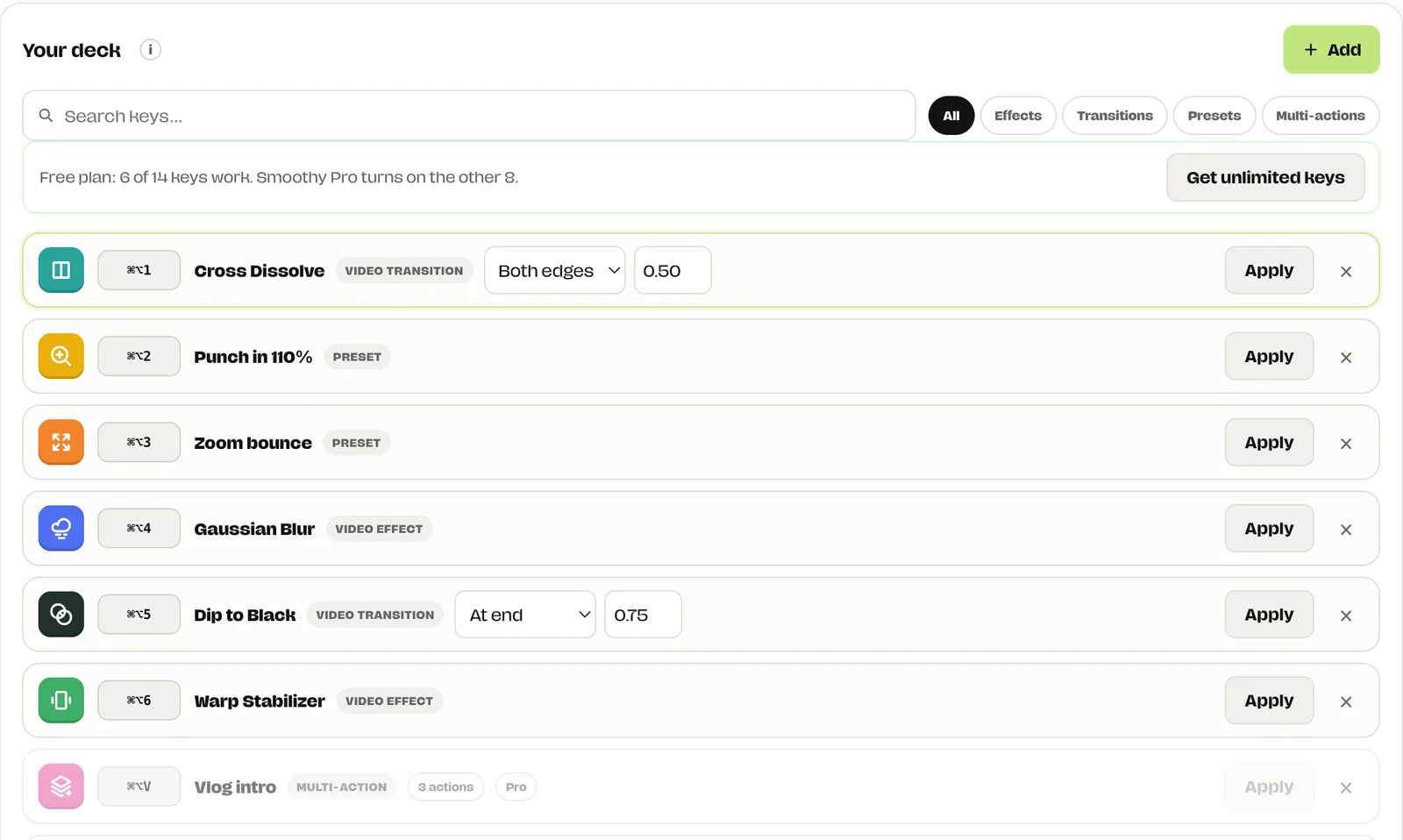
Pick from the effects, transitions and presets already in your Premiere. One list, one search.
- Video and audio effects
- Video and audio transitions
- Your saved Premiere presets
- The picker stays open, so you can add several in a row
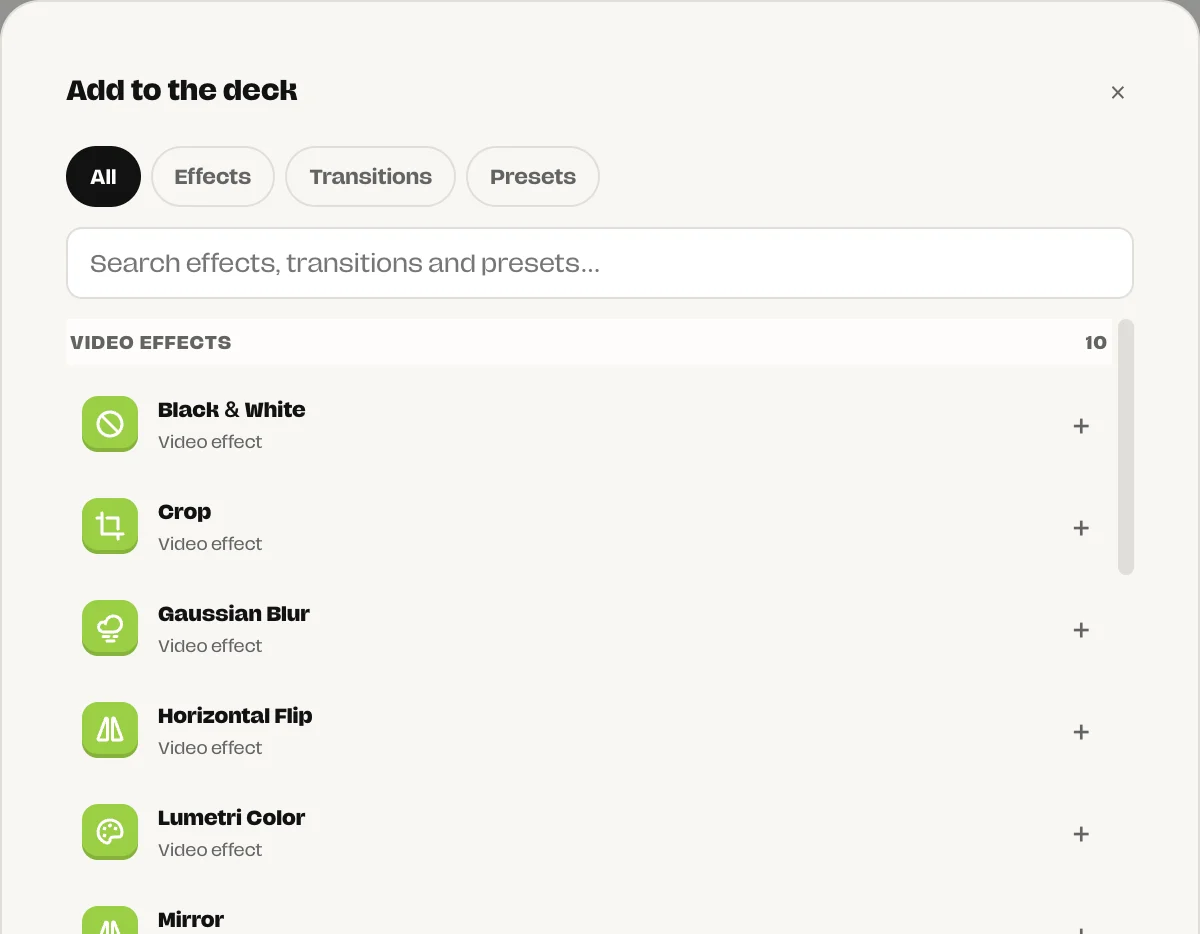
Start, end
or both edges.
Choose where a transition lands and how long it lasts. Press once, and every selected clip gets it.
- Start, end or both edges of the clip
- Your own duration, in seconds
- Works on every selected clip at once
Your presets.
Keyframes included.
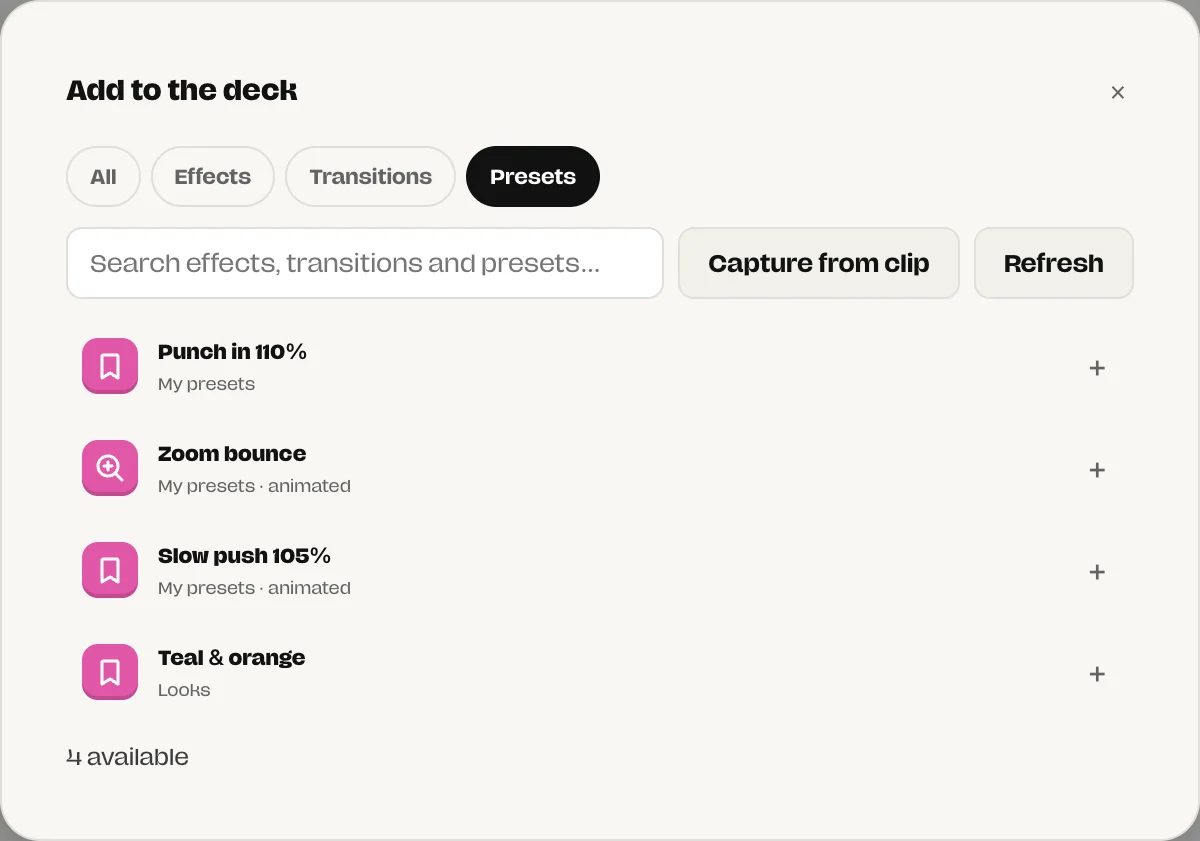
ShortsCuts reads the presets you saved in Premiere. Animated presets keep their keyframes.
- Reads your Premiere presets automatically
- Capture from clip: save the effects on a selected clip as a new key
- Static values and keyframes both come across
A whole move.
One press.
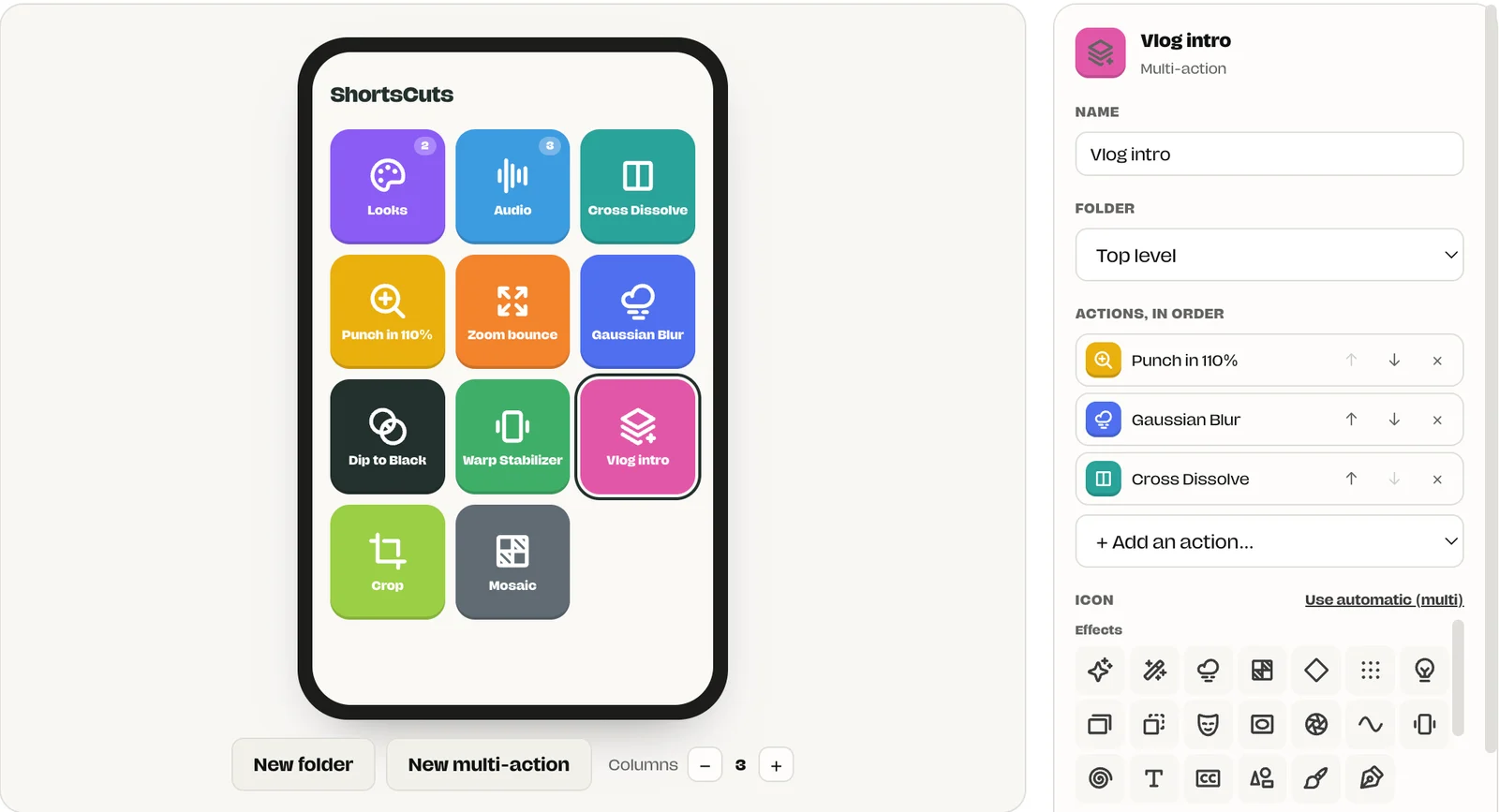
Chain keys together and run them in order. Punch in, blur, dissolve. Done.
- Up to 16 actions in one key
- Reorder steps with the arrows
- Give it its own shortcut, icon and colour
Your deck,
your way.
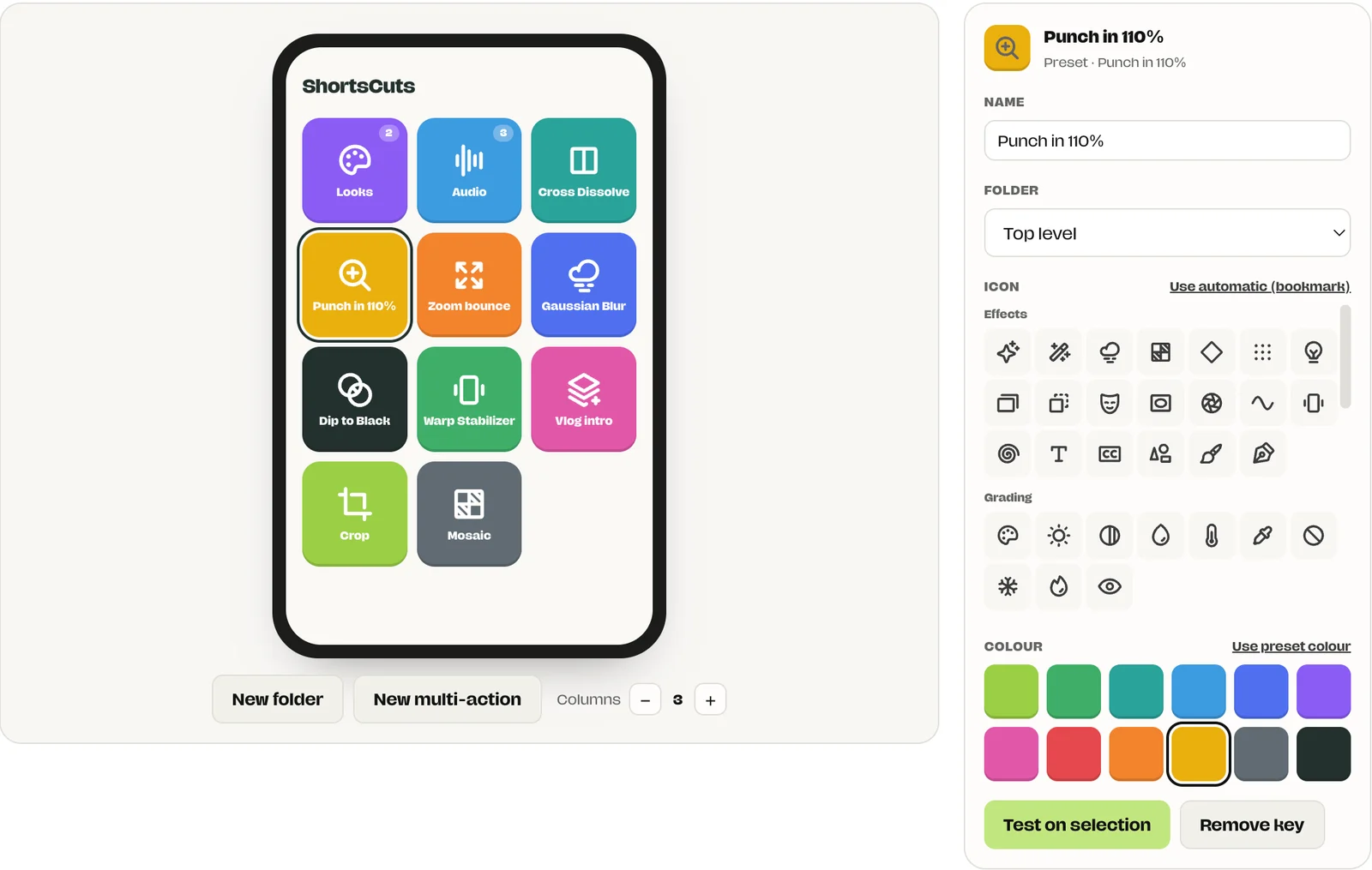
Name every key. Pick an icon and a colour. Group keys into folders. Drag to reorder.
- Over 80 icons in groups like Effects, Grading and Audio
- 12 colours, or the automatic colour for each type
- Folders for looks, audio and anything else
- Test on selection to try a key before you use it
Your phone
is the deck.
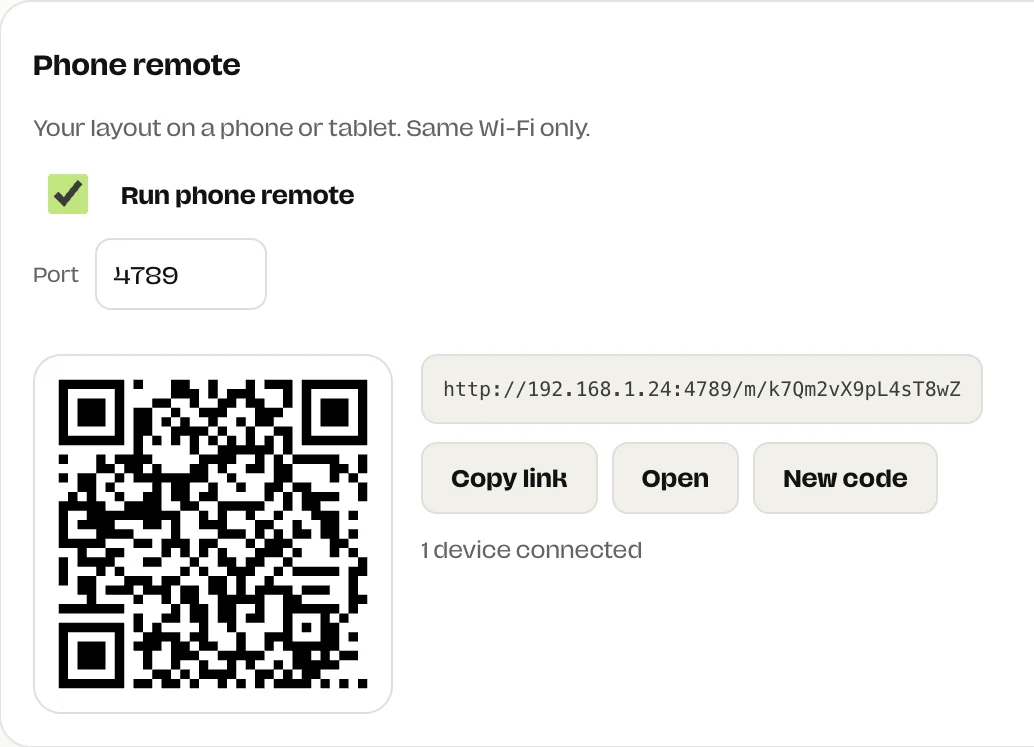
Scan the QR code. Your deck opens in the phone’s browser. Tap a key and Premiere does the rest.
- Nothing to install on the phone
- Stays on your Wi-Fi. Nothing goes through the internet
- Private link with a secret code. New code locks out old links
- Turns itself off after two idle hours
A bigger screen?
More keys.
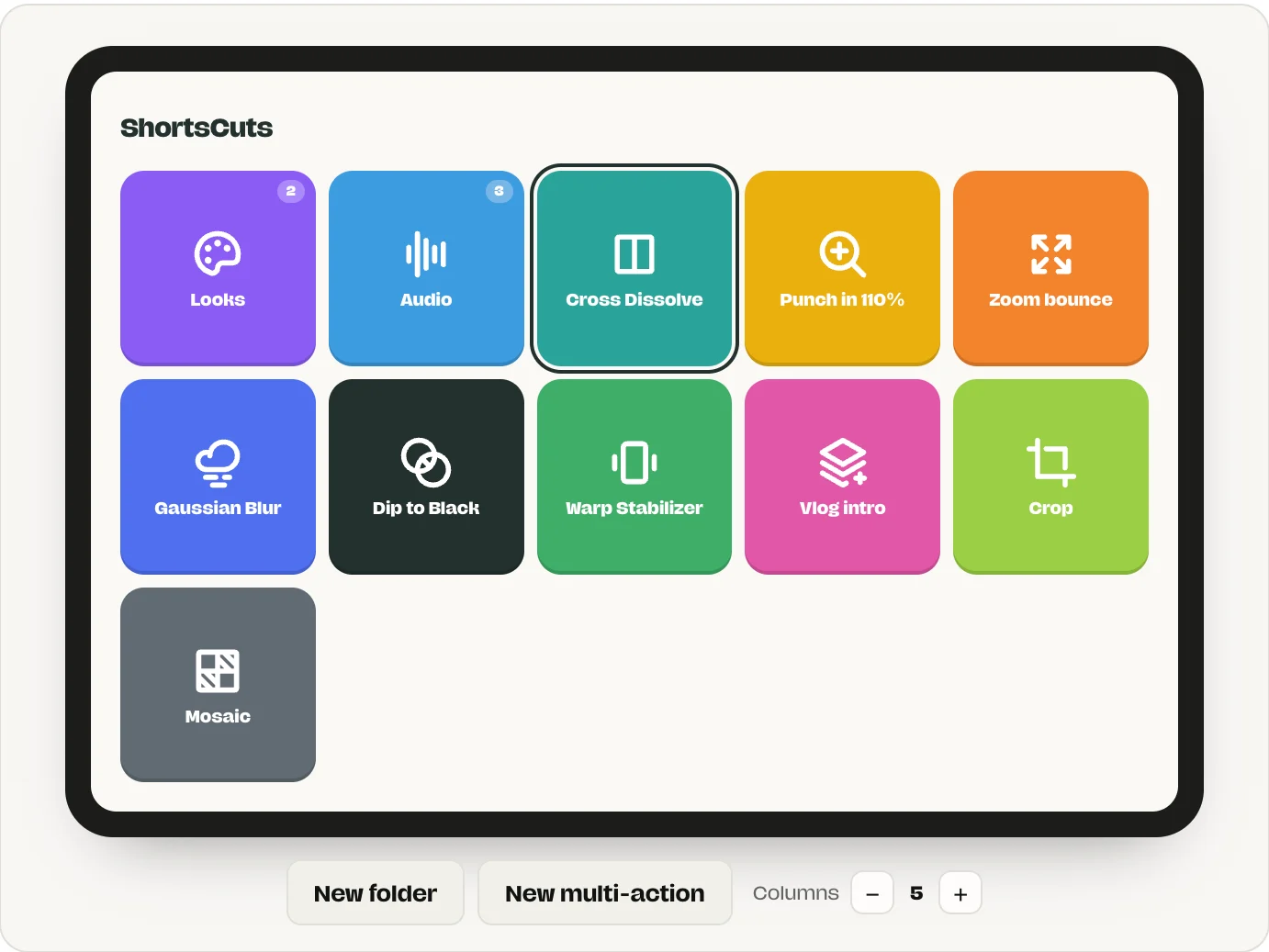
Set the columns for phones and tablets separately. Folders open like on your desktop.
- Phone: 2 to 5 columns
- Tablet: 3 to 8 columns
- The preview shows exactly what your phone will show
Keys that know
where you are.
Shortcuts work while Premiere or Smoothy is in front. Switch to another app and your keys are free again.
How it works.
- Open ShortsCuts and click Add.
- Pick effects, transitions or presets.
- Give each one a key.
- Select clips in Premiere and press.
Start with
six keys.
Your first six keys are free forever, phone remote included. Smoothy Pro turns on every key after that.
- Free: 6 keys, keyboard and phone remote
- Pro: unlimited keys, $5/month
- Extra keys stay saved and switch on when you upgrade
The details.
- Editor
- Premiere Pro, through the SmoothyEdit panel included with SmoothyApp
- Computer
- macOS (Apple Silicon) and Windows
- Key types
- Video effects, audio effects, video transitions, audio transitions, Premiere presets, multi-actions
- Applies to
- The selected clips in your active sequence
- Multi-actions
- Up to 16 steps, in order
- Phone remote
- Any phone or tablet browser on the same Wi-Fi. Default port 4789
- Security
- Private link with a secret code. Turns off after 2 idle hours
- Free plan
- The first 6 keys. Smoothy Pro unlocks unlimited
Questions
Is ShortsCuts free?
Yes, for 6 keys, including the phone remote. Smoothy Pro ($5/month) unlocks unlimited keys.
What happens to keys past the sixth on the free plan?
They stay saved but switched off. Upgrade and they turn back on.
Do I need a Stream Deck?
No. Use your keyboard, or scan the QR code with any phone or tablet. Nothing to install on the phone.
Will my shortcuts fire in other apps?
No. Keys only work while Premiere Pro or SmoothyApp is in front, so they never steal a key from another app.
Can I use my own Premiere presets?
Yes. ShortsCuts reads the presets you saved in Premiere, keyframes included. You can also capture the effects on a selected clip as a new preset.
Does the phone remote go through the internet?
No. SmoothyApp runs a small server on your computer. Your phone connects over your own Wi-Fi with a private link.
Is the phone remote secure?
Each link has a secret code. Click New code to lock out old links. The remote turns itself off after two idle hours.
Which editors does it work with?
Premiere Pro on Mac and Windows, through the SmoothyEdit panel that comes with the app.