

Your agent edits.
You decide.
Give Claude Code or Codex Smoothy’s real editing tools. Nothing changes until you approve.
Works with Claude Code, Codex and any MCP agent
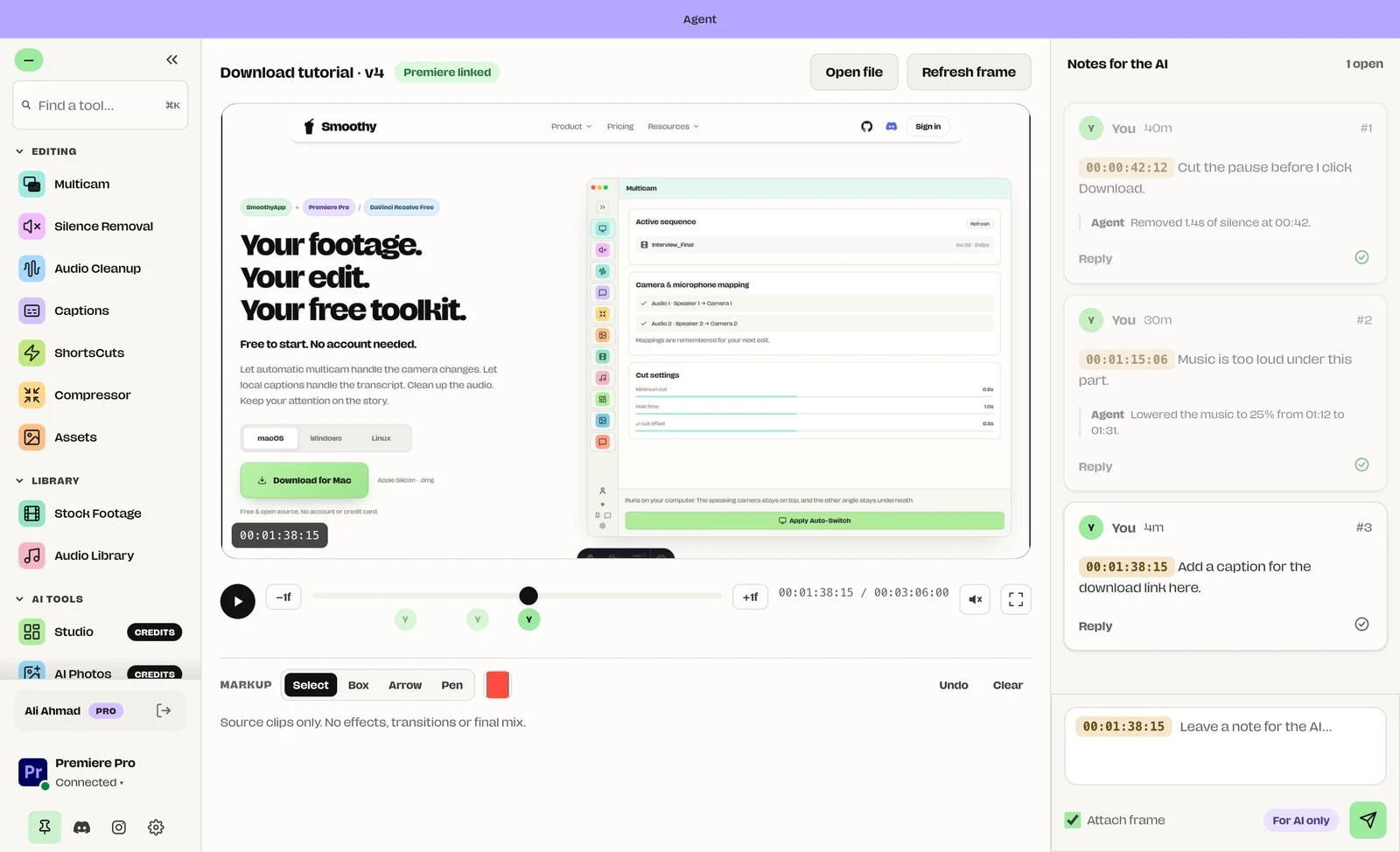
AI agents can write code, but they couldn’t edit video. They installed ffmpeg, wrote long scripts and burned tokens, and I never knew what they did to my timeline.
So I gave them Smoothy’s real tools and kept the final say. The agent does the busywork. I approve every change.
One click
to connect.
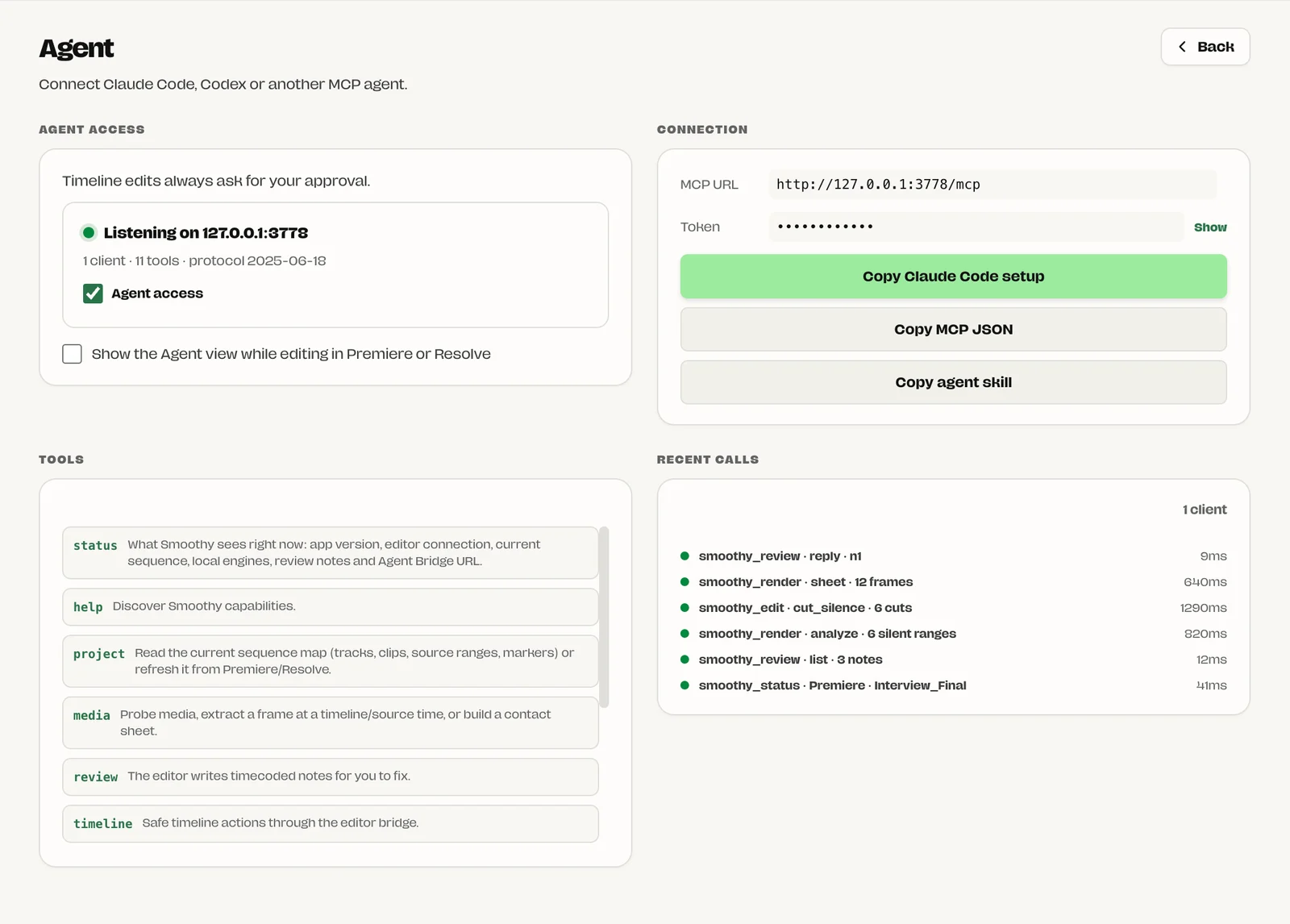
Turn on Agent access, copy the setup and paste it into your agent. That’s it.
- Copy Claude Code setup, MCP JSON or the agent skill
- See every tool and every call the agent makes
- A private token that only your computer knows
Notes on
the frame.
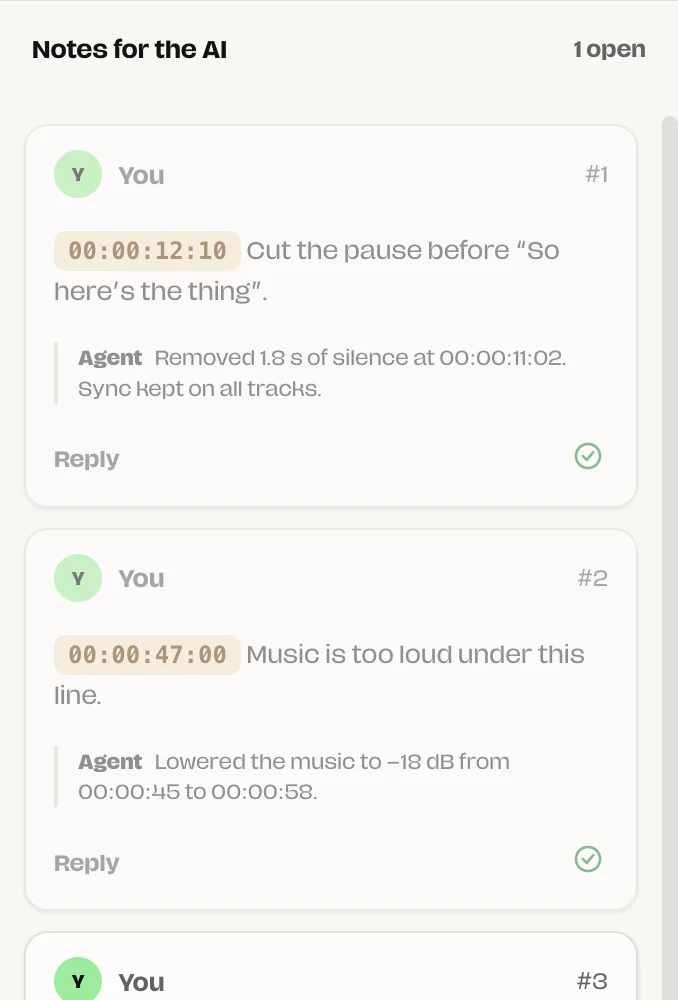
Pause on a moment, draw on it and write what to fix. The agent fixes it and replies.
- Box, arrow and pen markup on the frame
- Timecoded notes with the marked frame attached
- The agent replies with what it changed
- Only you mark a note as fixed
Nothing changes
without you.
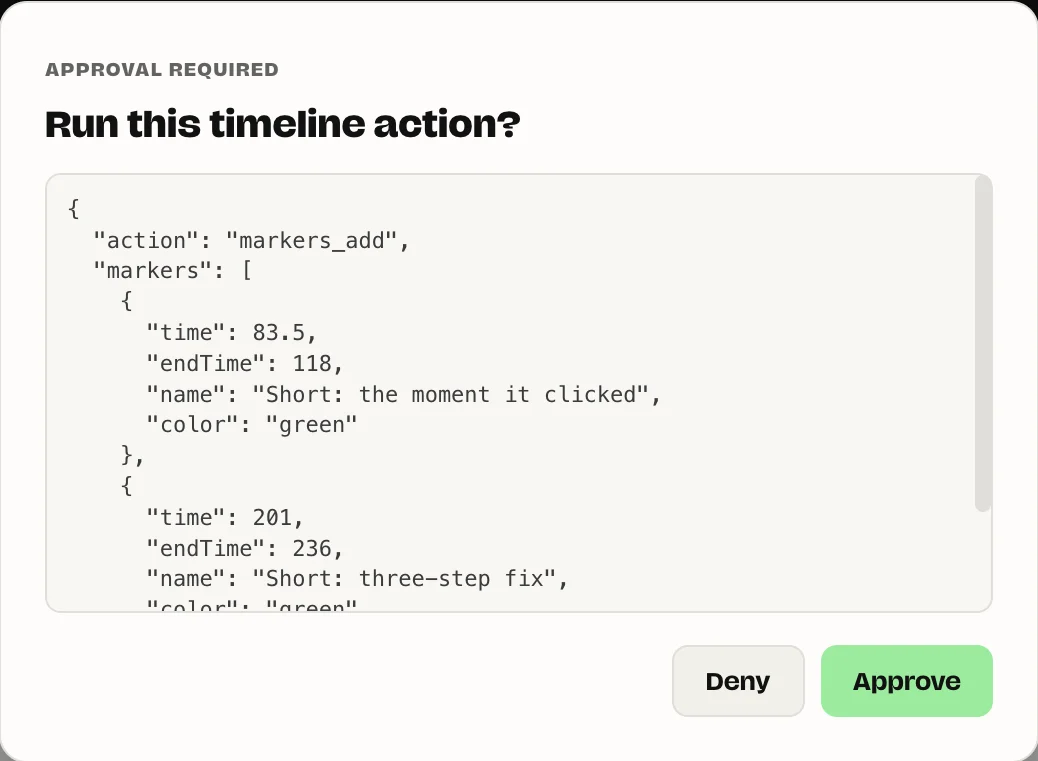
Timeline actions, exports, downloads and installs stop and ask first. You see exactly what will run.
- Approve or deny each action
- Your original media is never changed
- Edits happen on a separate project or new markers
What your agent can do.
Smoothy’s own tools, one call each.
Multicam
The same speaker engine as the app. Cuts to whoever talks.
Cut silence
Removes dead air on every track together, so sync holds.
Transcribe
A timed transcript, so it can cut by what was said. Captions too.
Audio Cleanup
Splits speech from music or cleans the voice, on your computer.
Stock footage
Searches Pixabay, Wikimedia, Internet Archive and NASA.
Music
Finds tracks and keeps the licence and credit with the file.
Sees the edit
Frames and contact sheets, so it checks its own work.
Hears the edit
Measures loudness and finds silent ranges, because it can’t listen.
Markers
Adds markers to your Premiere or Resolve timeline, after you approve.
Export MP4
Draft, standard or high quality, with loudness normalising.
No editor?
No problem.
Your agent can build a full edit inside Smoothy: add clips, trim, split, add text and captions, then export an MP4. Up to 40 undo steps.
smoothy_edit multicam → 212 cuts
smoothy_edit transcribe → captions on T1
smoothy_render export → MP4
Safe by design.
How it works.
- Turn on Agent access in Settings.
- Paste the setup into your agent.
- Ask for the edit you want.
- Review the notes. Approve the changes.
The details.
- Agents
- Claude Code, Codex and any MCP client
- Connection
- MCP over HTTP at
127.0.0.1:3778, with a private token - Editors
- Premiere Pro, DaVinci Resolve, or no editor at all
- Tools
- 11 Smoothy tools: status, project, media, review, timeline, audio, edit, render, library, jobs and help
- Editing
- Add, trim, split, move, cut, ripple, fades, text and captions. 40 undo steps
- Export
- H.264 MP4 in draft, standard or high quality, with optional loudness normalising
- Approvals
- Timeline actions, exports, downloads and engine installs
- Plan
- Smoothy Pro, $5/month. You bring your own agent
Questions
Which agents work with it?
Claude Code, Codex and any agent that supports MCP. SmoothyApp gives you the setup to paste in.
Do I need Premiere or Resolve?
No. Your agent can build a whole edit inside Smoothy and export an MP4. With Premiere or Resolve open, it can read your sequence and add markers.
Can it change my edit without asking?
No. Timeline actions, exports, downloads and engine installs wait for your approval. Your original media is never changed.
How does it save tokens?
One Smoothy call replaces installing tools and writing scripts. The agent gets short answers and small preview images, not long logs.
Does my footage leave my computer?
No. The bridge only listens on your own computer and never uploads media. Your agent’s own service sees what the agent sends it, like frames you choose to share.
Who writes the review notes?
You do. The agent reads your notes, fixes the edit and replies. Only you mark a note as fixed.
Is it included in Smoothy Pro?
Yes, with Smoothy Pro ($5/month). You bring your own agent.
Hand off the first pass.
Keep the final cut. Agentic editing is part of Smoothy Pro.
Apple Silicon · Windows x64 · Linux (experimental)