The recorder you hand
your client.
The cleanest way for non-editors to capture footage you can actually edit.
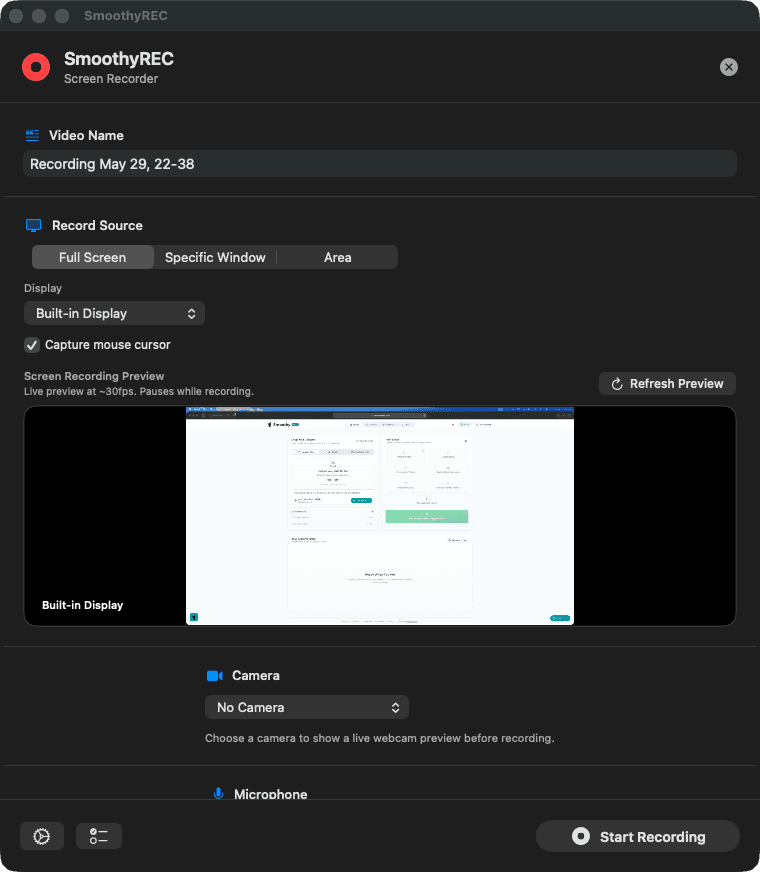
SmoothyRec is a native macOS menu-bar recorder built around one rule: hand the editor separate tracks, not one baked-in MP4. Screen, webcam, and microphone each come back as their own file — ready to cut, reframe, and mix without fighting a flattened export.
First launch: macOS flags unsigned apps — System Settings → Privacy & Security → Open Anyway
Why it exists
Built for the person who isn't the editor.
Every recorder on the market is made for the person editing the footage — or it flattens everything the moment you stop. None of them fit the editor→client handoff.
Pro tools are too complex
OBS and friends assume scenes, sources, and encoders. You end up screen-sharing to walk your client through setup.
Simple tools bake one file
Quick recorders hand back a single flattened MP4 — webcam burned in, audio glued to picture. Nothing to cut.
Nothing fits the handoff
No app was made to be dead simple for the client yet produce footage that's a joy for the editor.
How it works
Everything the editor needs.
Nothing the client doesn't.
The whole point
Separate files, never baked together
When the recording stops, SmoothyRec writes each source to its own file — the screen, the webcam, and the microphone stay independent. You reframe, re-time, and remix every layer exactly like footage you shot yourself.
- Reframe or hide the webcam on its own
- Fix or replace the mic without re-rendering picture
- Cut the screen on its own timeline
Output files
3 files · saved to Movies
screen.mov
3840 × 2160 · 60 fps
webcam.mov
1080p · own track
microphone.m4a
isolated audio
Standard files. Drop them straight into your timeline.
Out of the way
Lives in your menu bar
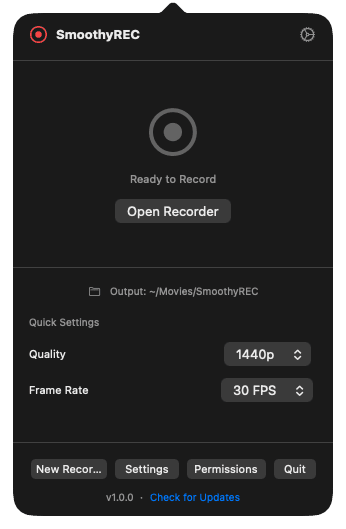
No dock icon, no project window to manage. SmoothyRec sits quietly in the menu bar — your client clicks it, picks a quality, opens the recorder, and they're rolling. That's the entire interface they ever see.
- Menu-bar only — no dock icon
- Quick quality + frame-rate presets
- Built in Swift — light and native
Set up once
Grant permissions once, then forget it's there
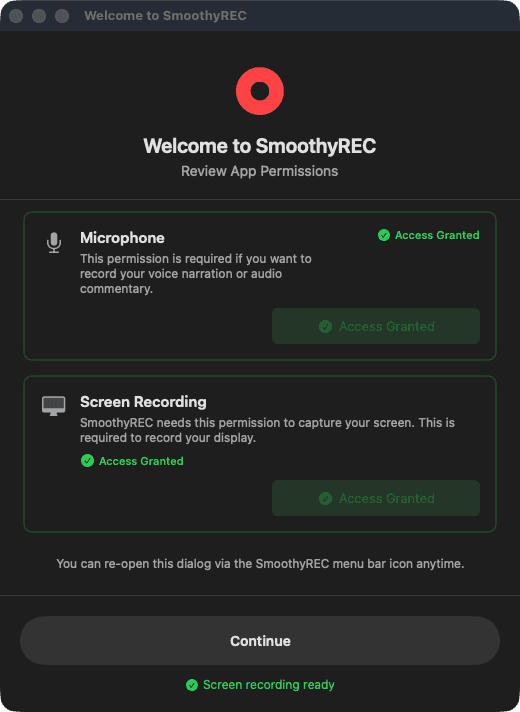
A one-time welcome walks your client through the macOS screen and microphone permissions — with clear status, not jargon. After that, every take is a single click. Nothing to configure again.
- Guided first-run permissions
- Plain-language status, no jargon
- Re-openable from the menu bar anytime
And the details
Tuned for a clean handoff.
Up to 4K at 60 FPS
Records the full display or a chosen screen at quality that holds up once you start cutting.
Picture-in-picture webcam
Want a combined file too? Optionally export a PiP version on top of the separate tracks.
System audio + mic, isolated
Capture both at once and keep them apart — no wrestling one file when mic levels were off.
Built-in compress
Trim file size on any track before sending, right inside the app. No second tool.
The workflow
Three clicks for them. Edit-ready for you.
Send your client the app
One lightweight download, installed once. No account setup, no OBS walkthrough, no screen-share call.
They click record
From the menu bar: pick what to capture, hit Start, hit Stop. That's the whole experience for a non-editor.
You get clean, separate tracks
Screen, webcam, and mic land as independent files that drop straight into SmoothyDesktop or SmoothyEdit.
Part of the Smoothy suite
How it fits with the others
Overlaps
- Recordings open directly in SmoothyDesktop as a multi-track project — no conversion step.
- Each track works inside SmoothyEdit too, since they're standard video and audio files.
- Shares the Smoothy account so client recordings land in your workspace, not their Drive.
Not in this one
- —Editing the recording — that happens in SmoothyEdit or SmoothyDesktop afterward.
- —Live streaming. SmoothyRec is for clean recorded takes, not real-time broadcast.
Recording, the way editors wish clients did it.
SmoothyRec is free forever — a native, lightweight macOS app built in Swift by an editor, shaped entirely around the handoff. Open source and available now for macOS 13+.